Park anywhere.
Get warned before
the ticket.
ParkGuard saves your spot the second you park, works out what the curb you're on actually allows, and tells you when you need to move — while there's still time to do something about it.
For iPhone. Saving your spot, finding your car and scanning signs work in any city.

How it works
Three things happen while you walk away.
You don't drop a pin. You don't set a timer. You park, and the app does the rest.
It notices you parked
The moment your phone leaves the car's audio — CarPlay, Bluetooth stereo, the aux cable — ParkGuard saves the spot where your car stopped. If you walked or cycled, one tap saves it manually.
It works out the block
It matches your GPS fix to a specific block and side of the street, then checks what applies there: the city's own schedule where one exists, plus any sign you or another driver has scanned nearby.
It warns you in time
Each kind of zone gets its own lead time, because they aren't alike. A 15‑minute curb nudges you five minutes in. A sweeping day is worth knowing about the evening before.
What's in it
Everything you'd want a parking app to actually do.
Automatic parking detection
Uses the same audio-route signal your car stereo already sends your phone, corroborated with motion, so it knows the difference between parking and pulling out your earbuds.
Find your car again
A map pin, the street address, the side of the street, and walking directions back — from anywhere, days later.
Scan any parking sign
Point the camera at the pole. It reads every sign on it separately, tells you all the rules that apply at once, and says which one makes you move first.
Reminders tuned per zone
One question at setup — how much warning do you want? — sets sensible lead times for all 16 zone types. Change any one of them later if you want something different.
It says when it isn't sure
Every answer carries where it came from and how confident it is. When the app can't pin your car to one block, it says so and tells you to check the signs — instead of guessing.
Better because your neighbors use it
Scanned signs are shared block by block, and only shown once two different people agree on what a sign says. A friend on your street measurably improves your own answers.
The app
Real screens, not mockups.
Every screenshot below is the app running — on real streets, with real sign photos.
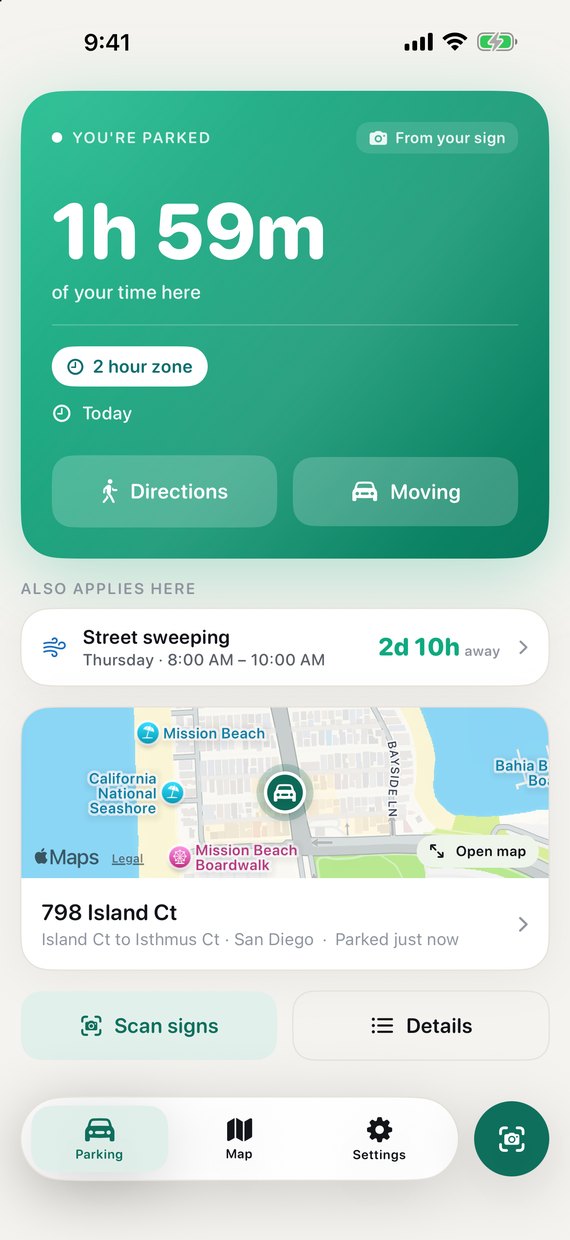
Two rules, ranked
A time limit starts counting the moment you park. Anything else on the same curb — sweeping later in the week — sits underneath it, so you can see which one makes you move first.
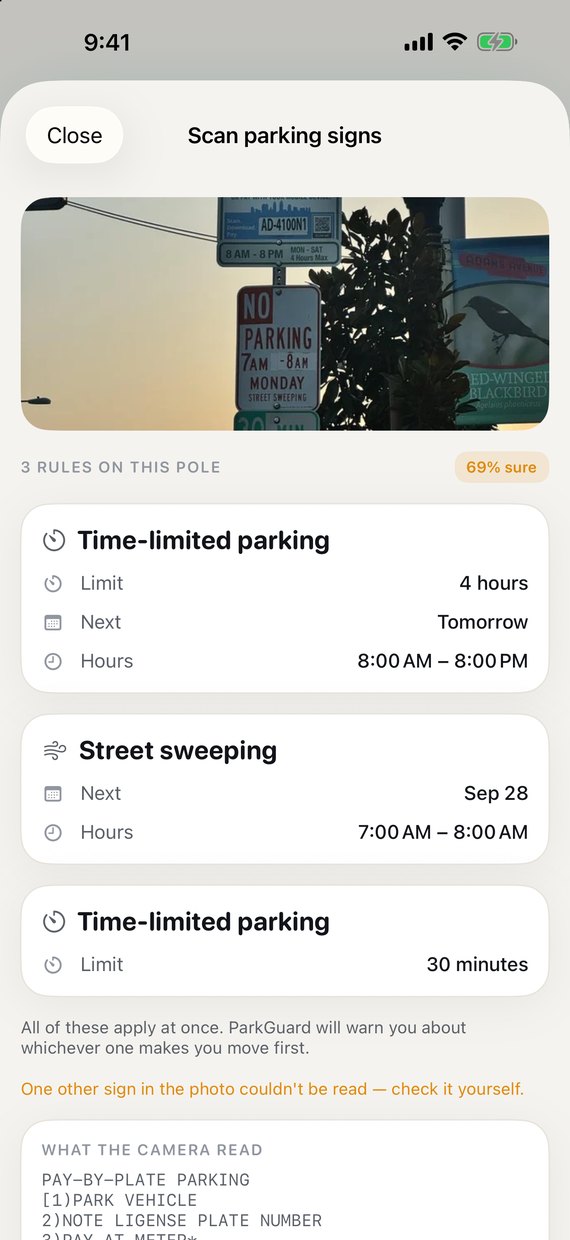
Reads a whole pole at once
Three signs stacked on one post is normal. ParkGuard reads each separately, applies all of them, and warns you about whichever bites first.
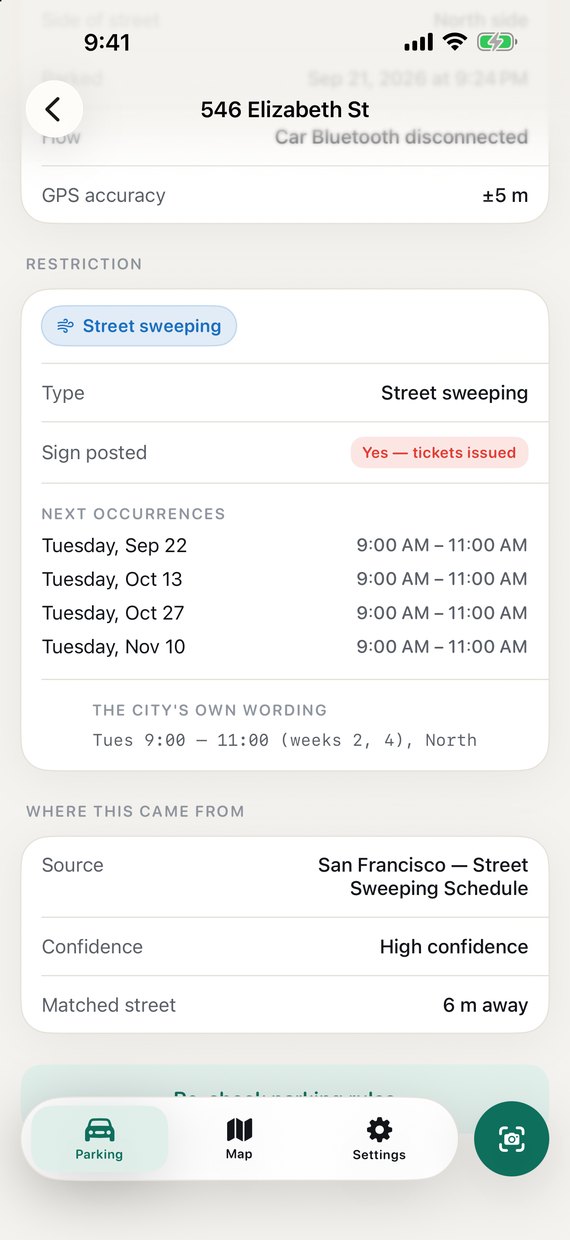
Shows its work
The next four dates, the city's exact wording, where the answer came from, and how far away the street it matched is. Nothing is asserted without a receipt.
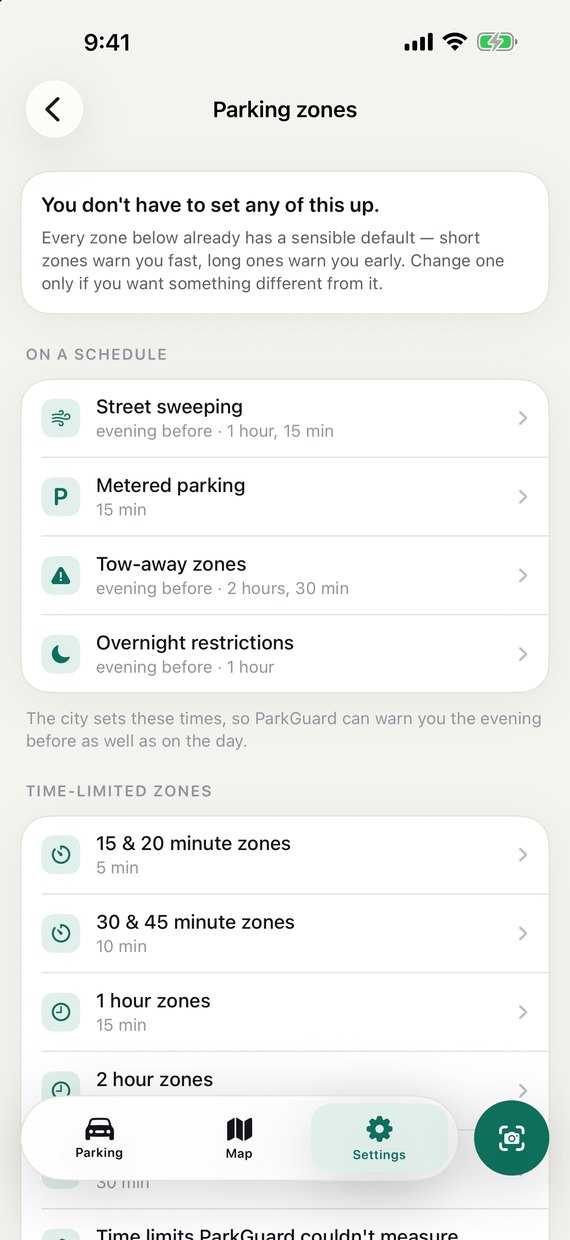
Every zone, its own warning
A 15‑minute curb and a sweeping day need different reminders. All of them arrive set up sensibly — change one only if you want to.
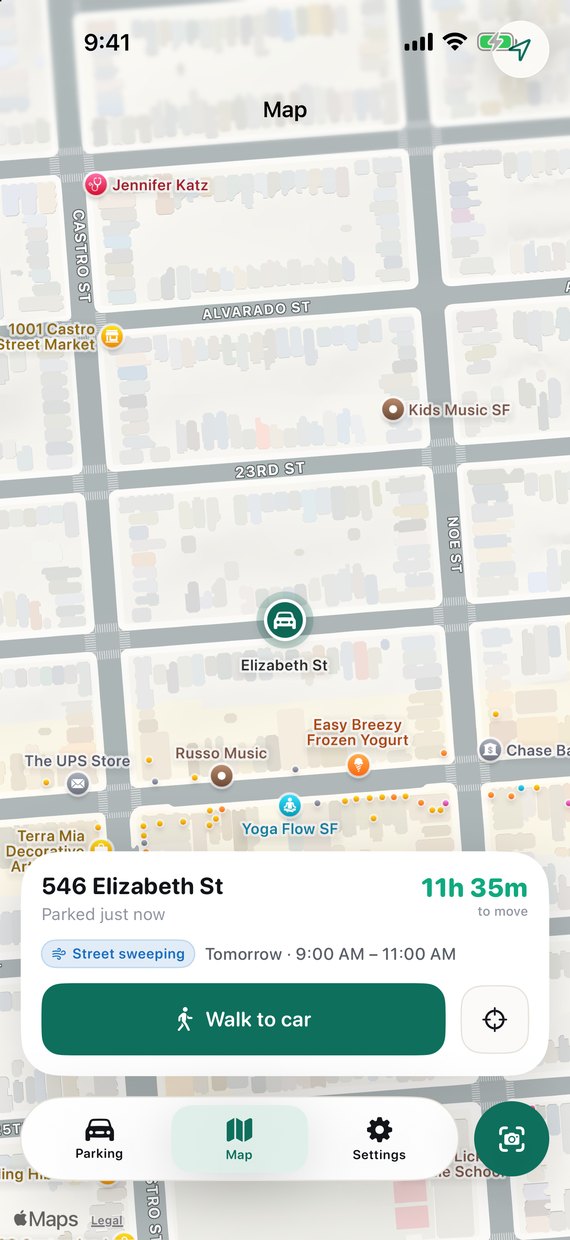
Walk straight back to it
The pin, the countdown and walking directions in one card. Tap the map from anywhere in the app.
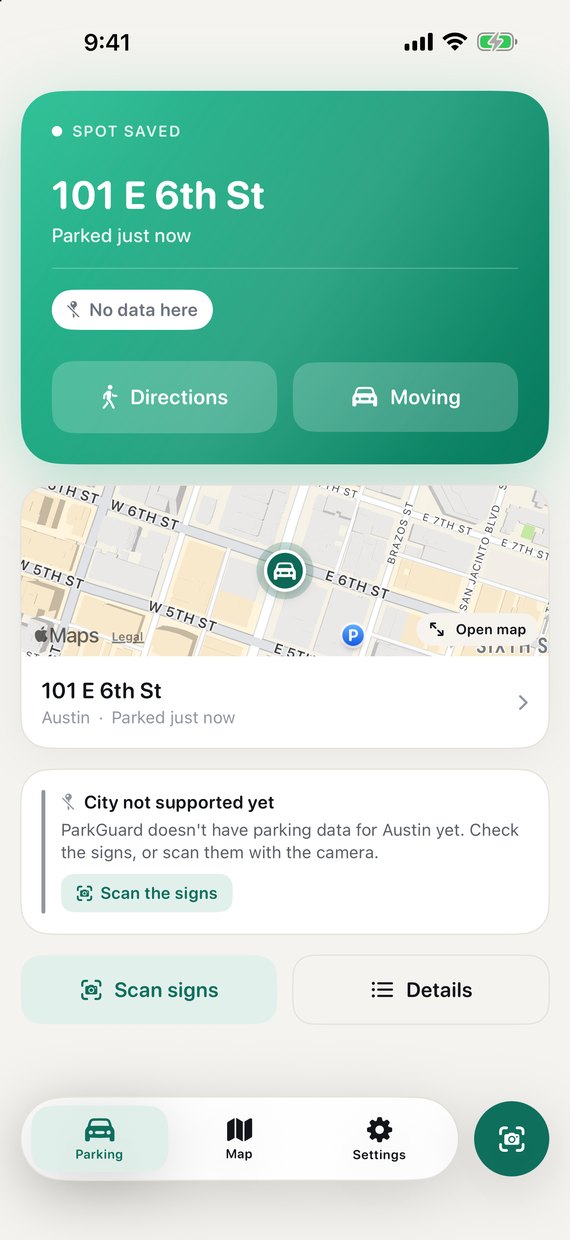
Honest outside its data
Parked in a city ParkGuard hasn't loaded yet? It still saves your spot and gets you back to the car — and says plainly that you should scan the signs.
Where it works
Most of ParkGuard works wherever you park.
Saving your spot, finding your car and reading signs don't need a city to publish anything. Official schedules are the part that does — and that list is growing.
No setup, no city required
- Your spot saved automatically when you leave the car
- Map, address, side of the street, walking directions back
- Camera sign scanning — every sign on the pole, read on your phone
- Reminders built from whatever the sign actually says
- Parking history, so you know where you left it last Tuesday
Official schedules, block by block
- San Diego, CA — live. Street sweeping and meters straight from the city's records, for your exact block and side.
- San Francisco, CA — live. Street sweeping, meters, rush-hour tow-away and colored curbs from the city's own data.
- Next up — more cities are on the way. Tell us where you park and it helps decide which comes next.
Anywhere without a dataset, ParkGuard says so on the screen rather than inventing a schedule. Signs you and other drivers scan fill the gap in the meantime.
Request your cityStraight answers
What ParkGuard won't promise you.
The app tells you the same thing on the last screen of setup. One overclaim would poison every honest warning after it.
Not "no more tickets"
Fewer tickets, not none. ParkGuard can be right about the block and you can still be five minutes late.
Signs change
Curbs get repainted, temporary no-parking goes up overnight. The posted sign is always the final word, and the app says so.
Not every rule is published
Cities publish sweeping. Meters, time limits and permit districts mostly aren't published anywhere — that's what scanning is for.
Questions
Before you ask.
Does it work in my city?
The parts that matter most do, anywhere: saving your spot, walking back to your car, scanning signs, and reminders built from what the sign says. Official city schedules currently cover San Diego and San Francisco, with more on the way — tell us where you park.
Do I have to open the app when I park?
No. ParkGuard watches the moment your phone leaves the car's audio — CarPlay, a Bluetooth stereo, or a cable — which is the same signal Apple Maps uses to know you've parked. If you cycled, took a scooter, or your car has no stereo connection, one tap on the button saves the spot instead.
Do my sign photos get uploaded anywhere?
No. Signs are read on your iPhone using Apple's on-device text recognition. The photo never leaves the device. What can be shared — with your say-so — is the resulting rule, tied to a block, so other drivers on your street benefit. And a scanned rule is only ever shown to someone else once two different people have agreed on it.
Will it stop me getting tickets?
Fewer tickets, not none — and we'd rather say that up front. ParkGuard can be right about your block and you can still be late back to the car. Curbs get repainted and temporary signs go up overnight. The posted sign is always the final word, which is exactly what the app tells you whenever it isn't certain.
What happens when the app isn't sure?
It says so. Every answer carries where it came from, how confident it is, and how far away the street it matched was. If your GPS fix can't be pinned to a single block, it tells you to check the signs rather than guessing at a schedule. Rules the city doesn't actually enforce are labelled and pushed down the screen instead of dressed up as a deadline.
Android?
Not yet. ParkGuard is a native iPhone app and leans on iOS-specific things — audio-route detection, on-device Vision, notification scheduling — that need rebuilding rather than porting. Email us if you'd use it on Android — it's the clearest signal we can get.
Get ParkGuard
Park, walk away, and let it keep watch.
ParkGuard is an iPhone app. Set it up once and it saves your spot every time you park — no pin to drop, no timer to set.